Stormwater runoff for small sites
Before and after runoff, a first answer in minutes.
Draw the site. See existing, proposed and with practices for six storms, pass or fail.
Water quality, 1, 2, 10, 25 and 100-year, from NOAA Atlas 14 at your site. Then a report that says where every figure came from.


How it works
Three steps
- Draw the site. Soils, land cover, slope and rainfall are read for you, each with its source.
- Draw what you will build. Land use, practices, and a drainage area for each, suggested from the ground.
- Run every storm. One table and one chart, before and after. Then the report.
Watch each step in a short video.
Words used here
- Curve number (CN)
- A number, from about 30 to 98, for how much rain runs off the ground: higher for pavement and clay, lower for woods and sand.
- TR-55
- The USDA NRCS method for runoff from small watersheds, which CurveNumber follows.
- Time of concentration (Tc)
- How long water takes to travel from the far end of an area to its outlet. A shorter Tc gives a higher peak.
- Design storm
- A rain depth for a return period, such as the 10-year storm, from NOAA Atlas 14.
- Practice
- Something built to hold or slow runoff, such as a rain garden or permeable pavement.
When a storm fails
Suggest a fix
CurveNumber reruns every storm with the practice at larger sizes and shows the smallest that passes the most.
Nothing on the site changes until you change it.


Drainage areas
Suggested from the ground
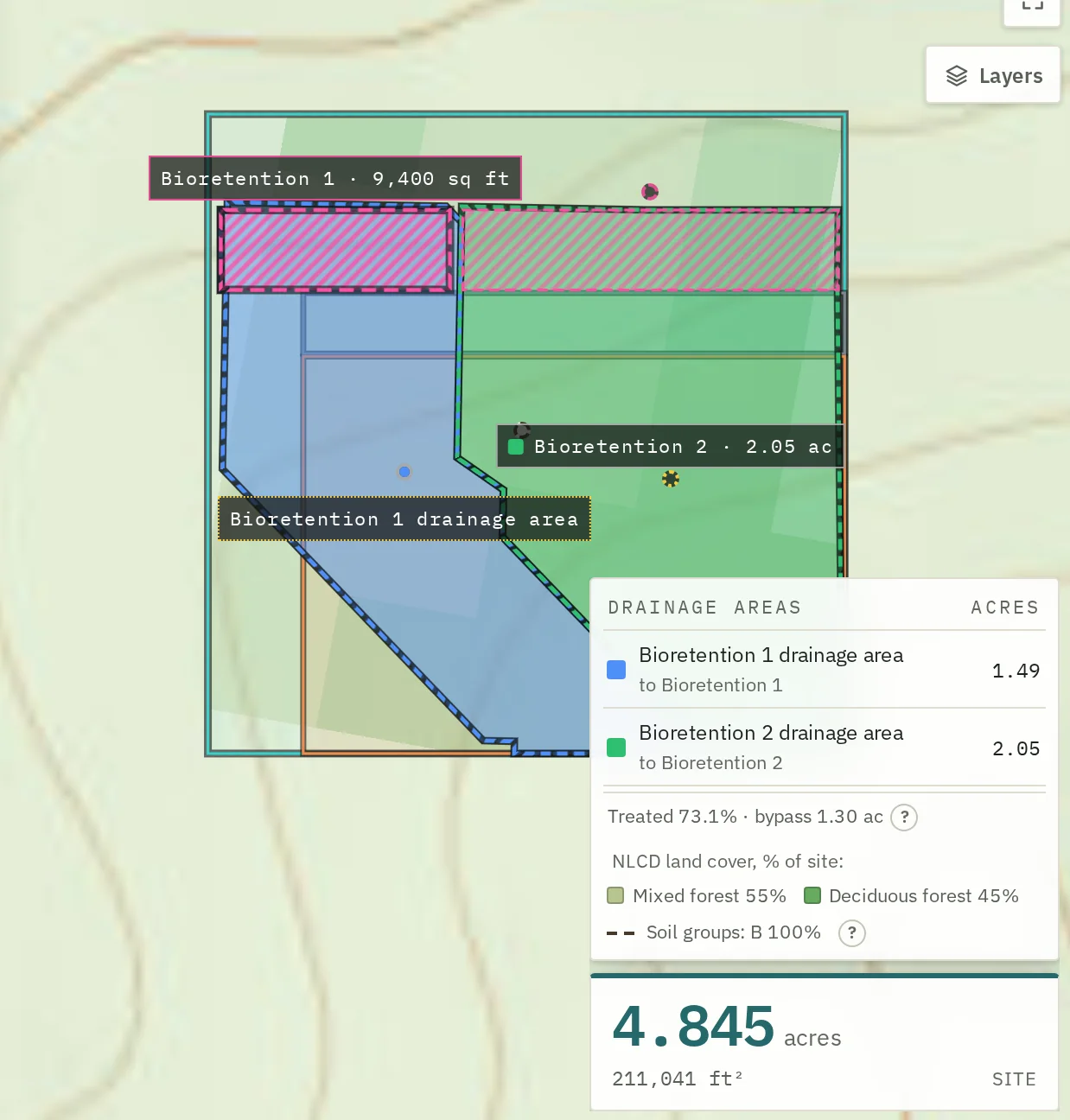
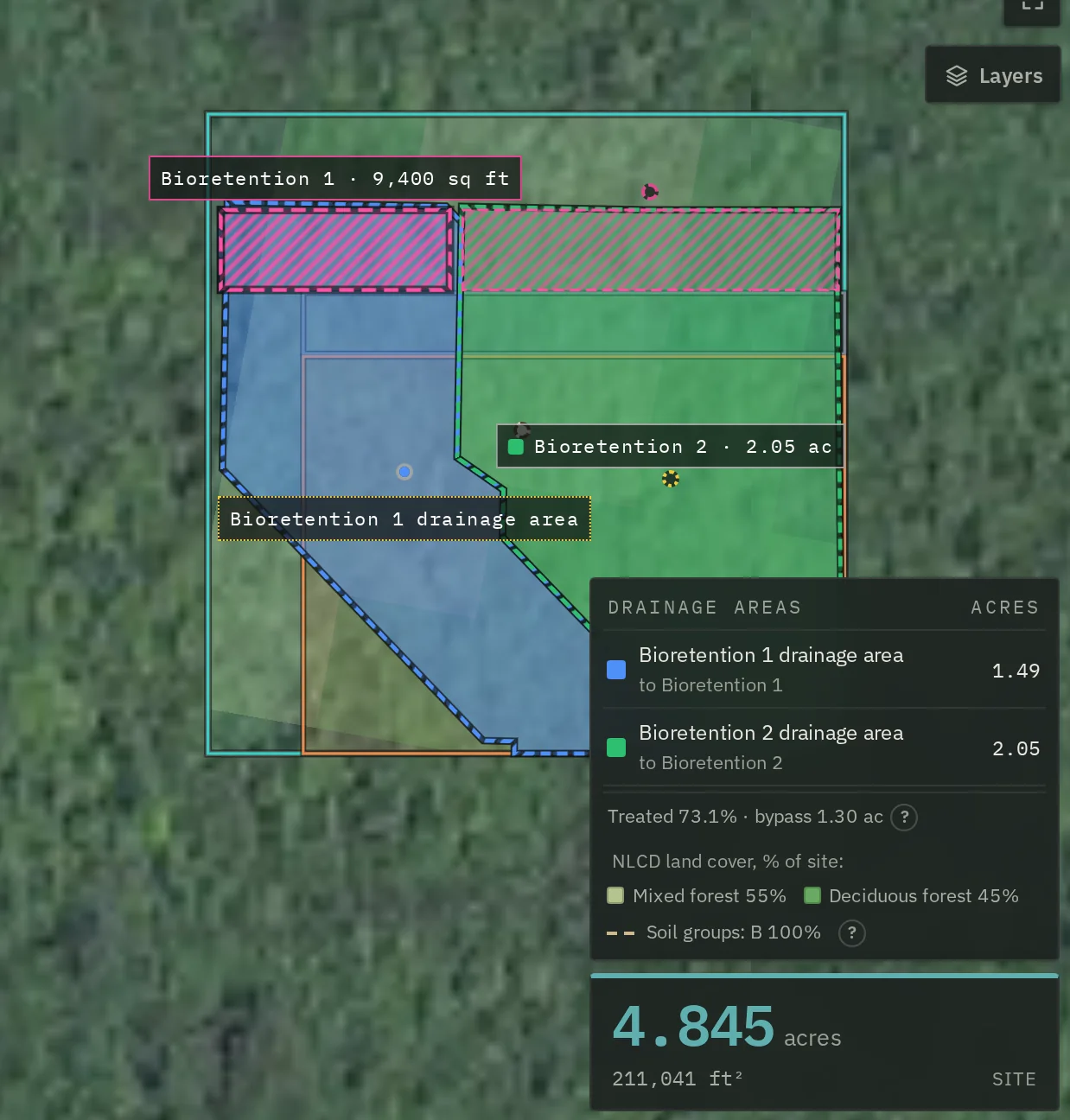
One press suggests a drainage area for each practice, from USGS elevation. Use these keeps them, or draw your own.
On flat or paved ground it says so and asks you to draw.
The report
A report a reviewer can check
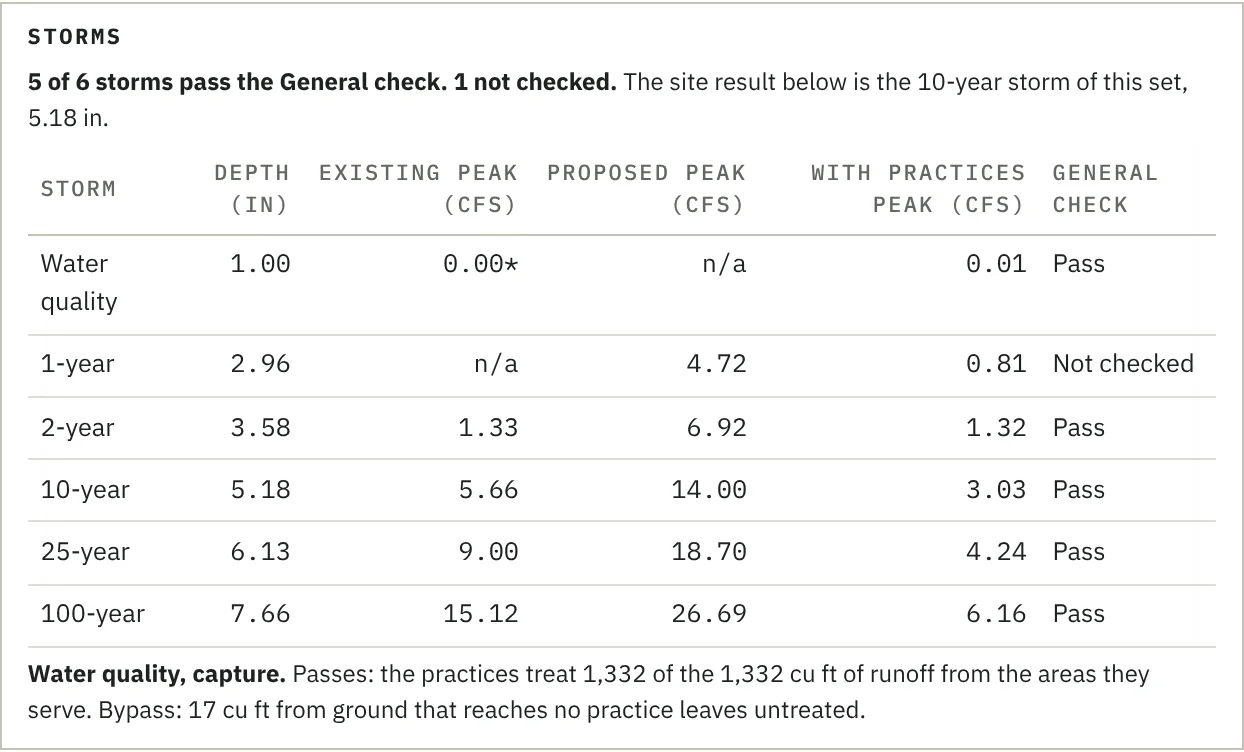
Every storm, its depth and its source, on the page. Every figure says where it came from.
The assistant
It guides you to the number, and helps you prove it
- Explain this result. Why a storm fails, in plain words.
- Suggest a fix. CurveNumber runs the sizes; the assistant only explains.
- Draft text for the report. You edit it and sign it.
Every number comes from CurveNumber, not from the AI. A check reads every draft and blocks a number not in the run or your record. The number check is one of 16 rules the assistant cannot break.
Status and the reference library
The assistant is switched on for invited accounts. It has not yet had an expert review. It quotes manuals from a reference library of 124 documents and about 20,800 pages, and growing: federal and state manuals, published agency studies and CurveNumber's own published examples. It gives you the page. Reports by private firms are left out. What is sent, and to whom, is on the privacy page.
Why a reviewer can trust it
Every number says its source, or that it is an assumption; where the data cannot support a number, it says the number is not computed, gives the hydrology reason, and says what it needs, instead of guessing. How it handles what it does not know.
Worked examples
Four real sites
Pricing
Two free sites, then USD 100 per site
No subscription. Quick checks are free with an account.